Ductile Web

Reshape the web around you.

The desktop browser like none other. Browse any website and make it work your way. Turn recipes into cooking mode, put the actions you use most within reach, or remove everything that gets in the way. Your changes are there every time you return.

Apple Silicon · early preview. Not yet notarized by Apple, so macOS asks permission the first time. How to open it
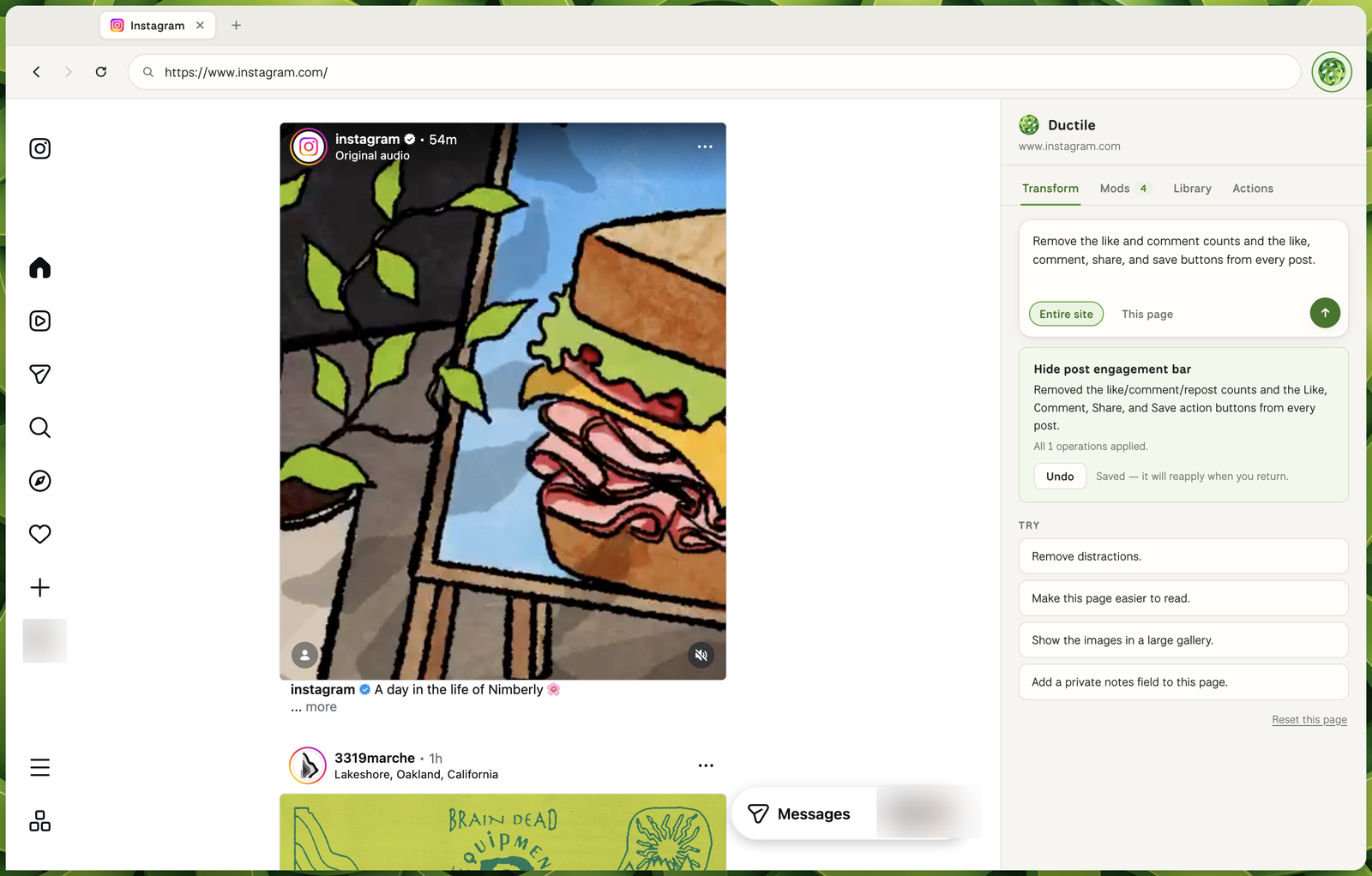
Ductile Web showing instagram.com with the like and comment counts and action buttons removed from the feed, and the Ductile panel open

Ask for the page you wish existed

Describe what would make a site better for you. Clear away the clutter, reorganize the page, or put the ingredients beside each step. The page transforms in front of you, while the original site keeps working underneath.

Remembers your version

Your changes can apply to one page or an entire site, and return automatically whenever you do. Refine them, turn them off, or remove them at any time. Make the web feel like a place made for you.

Bring your own agent

Connect the AI tools you already use. Let your agent understand the page, take action, and build new workflows directly into the browser. Your browser becomes the place where you and your agents collaborate together.

How it works

Ductile Web reads the page's structure, asks a model for a plan, and applies it with a runtime that respects the site underneath.

Plans, not code The model returns a small, validated set of operations. Never executable code. hide, restyle, re-layout, extract to card, add a button or notes field.
Verified changes Every change carries checks that state what you asked for. The browser judges its own work against the live page, repairs what it missed, and marks the change Verified.
Reversible by design Changes are undoable and safe to reapply. Anything that fails is skipped and reported honestly. The original page is always one click away.
The Mod Store Group your mods into a pack and publish it. Anyone can install it from the built-in store, and the sites it covers reshape instantly on their machine.

Opening it the first time

Ductile Web is an early preview and is not yet notarized by Apple, so macOS checks with you before running it the first time. This only happens once.

1. Install it Open the downloaded .dmg and drag Ductile Web into your Applications folder.
2. Open it Double-click the app. macOS says it can’t verify the developer, which is expected. Go to System Settings → Privacy & Security, scroll to Security, and choose Open Anyway.
Still refusing? Older downloads carried a signature macOS rejects outright as “damaged”. Download again to get the current build, or clear the download flag in Terminal:
xattr -dr com.apple.quarantine "/Applications/Ductile Web.app"